
Cyber Essentials Patch Management & 14-Day SLA Compliance
Learn how to manage operating system updates, close software backdoors, and meet Cyber Essentials patch management standards.
Download 2026 Patch Management & 14-Day SLA Checklist PDF
Audit verification checklist for 14-day zero-day patching, unsupported legacy OS phaseout (Windows 10 EOL), firmware updates, and automated MDM deployment routines.
What is Patch Management?
When software developers discover security vulnerabilities in their products, they release updates (patches) to close those backdoors. Cybercriminals monitor these releases and write exploits to target unpatched systems. Keeping software updated is the single most effective way to prevent remote compromise.
Cyber Essentials mandates a strict administrative policy to ensure that all critical and high-risk updates are applied rapidly across your entire corporate fleet.
The 14-Day Audit Mandate
NCSC guidelines require that any software, operating system, or firewall update classified as Critical or High-Risk must be installed within 14 days of its public release.
How to Implement Patch Management
Enable Automatic Operating System Updates
Configure automatic updates for Windows, macOS, iOS, and Android endpoints. Verify that patches are downloaded and installed in the background without requiring user intervention.
Remove Out-of-Support (End-of-Life) Software
Uninstall any operating systems or application packages that are no longer supported by their developer (e.g., Windows 7, older versions of Office, or discontinued software). Since developers do not issue patches for these systems, they represent open doorways for hackers.
Establish a Vulnerability Management Process
Deploy a software tracking routine to ensure firmware on network routers and peripheral firewalls is scanned and updated monthly. Document your patch deployment schedule for audit verification.
Windows 10 End-of-Life & The NCSC 14-Day Patching Rule
Under official NCSC Cyber Essentials regulations, all operating systems and applications in-scope must be supported and receiving security updates from the vendor. With Microsoft ending general support for Windows 10, running unpatched Windows 10 Home or Pro workstations triggers an immediate automatic failure during both Cyber Essentials Basic and Cyber Essentials Plus assessments.
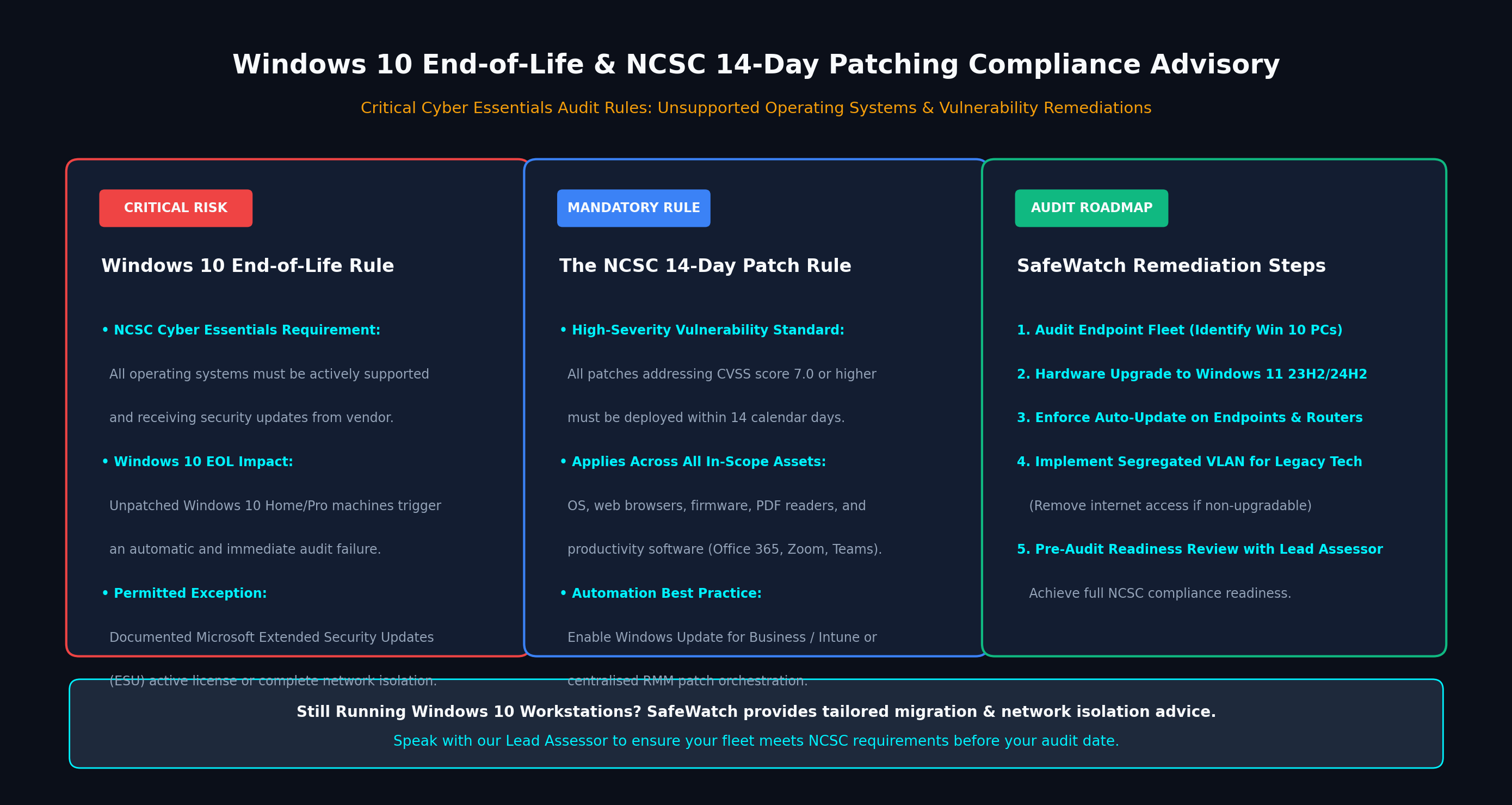
Once an OS reaches End-of-Life, zero-day vulnerabilities discovered by attackers are never patched by the vendor. In Cyber Essentials, any single device running unsupported software brings the entire organisation out of compliance unless isolated.
When Microsoft, Apple, Google, or Adobe publish an update addressing a vulnerability rated CVSS 7.0 or higher (High / Critical), you must deploy and verify the update within 14 calendar days across 100% of corporate endpoints.
Path A: Upgrade eligible machines to Windows 11.
Path B: Purchase and activate Microsoft Extended Security Updates (ESU).
Path C: Move legacy industrial/medical hardware onto a segmented, non-internet VLAN.
14-Day Patching & Vulnerability SLA Self-Check
1. The 14-Day SLA for CVSS 7.0+ Vulnerabilities
Whenever a vendor classifies an update as 'Critical' or 'High', or if the vulnerability has a CVSS v3 score of 7.0 or higher, the patch must be deployed across all workstations, servers, and network devices within 14 days of release.
2. Unsupported Software & Windows 10 EOL Phaseout
Operating systems and software that have reached End-of-Life (EOL) and no longer receive security fixes—such as legacy Windows 7/8/Server 2012, or Windows 10 post-October 2025 without ESU—must be removed or isolated onto non-routable VLANs.
3. Third-Party Application Patching Verification
Patch routines must encompass all third-party software: Google Chrome, Adobe Acrobat, Zoom, 7-Zip, and media tools. Automated patch management (Microsoft Intune, Patch My PC, Jamf) ensures full fleet compliance.